Pages

Showing posts with label Vista. Show all posts

Windows Loader 2.0.8 + WAT Fix (RePack)


Pada postingan kali ini, saya akan membagikan kepada anda sebuah aplikasi untuk membuat kinerja windows anda dapat berjalan optimal. Aplikasi ini bernama Windows Loader 2.0.8

Disini juga terdapat WAT Fix yang dapat anda gunakan untuk mempatch serial number pada windows anda. Fiture yang terdapat didalam aplikasi ini :
Can be run as a standalone application Works well with all system languages Argument support for silent installs Can be used for pre-activation Application integrity checking Custom error handling Support for hidden partitions and complex setups Can work alongside Linux's GRUB or any other boot manager Works with TrueCrypt and many other types of hard drive encryption applications Add your own certificates and serials externally Offers certificate and serial installation only for users with an existing SLIC 2.1 Automated system profiling (The application matches everything up for you)

The rundown
Compatible with Windows 7 SP1 and all system updates ✔ check
Will run on x86 and x64 systems ✔ check
No core system files get modified ✔ check
No extra processes are run so you have nothing eating at your RAM ✔ check
All key parts of the exploit are encrypted with a custom encryption ✔ check
The exploit runs before Windows so it's harder for Microsoft to prevent ✔ check
The exploit patches all necessary tables making activation look authentic ✔ check
The application will select the best profile for your system during installation ✔ check
Each and every user has a unique version of the exploit installed on his/her system ✔ check

Supported operating systems

  • Windows 7 Ultimate 
  • Windows 7 Ultimate E 
  • Windows 7 Professional 
  • Windows 7 Professional E 
  • Windows 7 Home Premium 
  • Windows 7 Home Premium E 
  • Windows 7 Home Basic 
  • Windows 7 Starter 
  • Windows 7 Starter E 
  • Windows Vista Ultimate 
  • Windows Vista Business 
  • Windows Vista Business N 
  • Windows Vista Home Premium 
  • Windows Vista Home Basic 
  • Windows Vista Home Basic N 
  • Windows Vista Starter 
  • Windows Server 2008 R2: Enterprise 
  • Windows Server 2008 R2: Standard 
  • Windows Server 2008 R2: Foundation 
  • Windows Server 2008: Enterprise 
  • Windows Server 2008: Standard 
  • Windows Server 2008: Foundation 
  • Windows Small Business Server 2008


WAT Fix will:

  • Uninstall RemoveWAT (or similar) 
  • Uninstall HAL7600 
  • Uninstall Chew7 
  • Uninstall uODIN 
  • Correct file permissions 
  • Correct important system files 
  • Correct services required for activation 
  • Correct VBS file associations 
  • Remove Microsoft entries from the HOSTS file


Usage:
Run WAT Fix Install Windows Loader If required visit the following website to revalidate
Windows: www.microsoft.com/genuine/validate/ (Use Internet Explorer)

Warning: Do not close WAT Fix while it's running.

Download :

Download CCleaner 3.08 Free

CCleaner 3.08 Free Download


CCleaner is a freeware system optimization, privacy and cleaning tool. It removes unused files from your system - allowing Windows to run faster and freeing up valuable hard disk space. It also cleans traces of your online activities such as your Internet history. Additionally it contains a fully featured registry cleaner. But the best part is that it's fast (normally taking less than a second to run) and contains NO Spyware or Adware! :)


Cleans the following :
  • Internet Explorer
  • Firefox
  • Google Chrome
  • Opera
  • Safari
  • Windows - Recycle Bin, Recent Documents, Temporary files and Log files.
  • Registry cleaner
  • Third-party applications
  • 100% Spyware FREE

File size:               3.07MB (3,216,552 bytes)
Requirements:    Windows 2000 / XP / 2003 / Vista / Windows7 / XP64 / Vista64 / Windows7 64
Languages:          Multiple languages
License:               Freeware


    tags : download , application , ccleaner , ccleaner 3.08 , ccleaner 3.08 Full , download ccleaner 3.08 , tool , freeware , system optimization

    Drive Image for Windows

    Image for Windows


    Image for Windows is an affordable and reliable drive image backup and restore solution that provides an easy and convenient way to completely backup all your hard drive's data, programs and operating systems. Your backups can be saved directly to external USB and FireWire™ drives, to internal or network drives, and even directly to CD, DVD, or BD. The Image for Windows package includes an easy-to-use MakeDisk wizard for creating a recovery boot disk. To restore your data, programs and operating systems back to the way they were when the backup was created, simply boot the recovery disk and restore the partition(s) or drive(s) you need to recover. It's that easy.

    Image for Windows utilizes the technology provided by Volume Shadow Copy Service (VSS) or PHYLock™, an add-on component included in the Image for Windows package. VSS and PHYLock™ allows you to continue using your computer while the backup is locked to a point-in-time. This eliminates the inconsistencies typically experienced while backing up a partition that is in use.

    Image for Windows runs under the Windows operating system, yet it can backup or restore any partition, including those of DOS or Linux, and even partitions encrypted by third-party software.

    The TeraByte drive image files produced by Image for Windows are compatible across all TeraByte Unlimited disk imaging products of the same major version number (i.e. all 1.x products are compatible with other 1.x products). This gives you the flexibility to restore disk images using your product of choice.
    • Compatible with Win64 (x64).
    • Compatible with all versions of Windows, including Windows Vista, Windows Servers, W7.


    Tags : download , driver , image , windows , driver image , driver image for windows , TeraByte , driver image backup

    mengubah tampilan XP menjadi Vista menggunakan Vista Skin Pack


    Kebanyakan pengguna Windows XP merasa bosan dengan tampilan sistem operasinya yang hanya seperti itu saja, seperti anda contohnya . Kini saya akan menjelaskan cara mengganti tampilan Windows XP anda menjadi layaknya Windows Vista.Eeeits,, disini saya tidak akan meminta anda untuk mematikan komputer kemudian pergi ke toko komputer untuk membeli sebuah Vista OS (kecuali jika anda merupakan orang yang memiliki banyak uang , hehe). Tapi disini saya akan memberikan anda sebuah tips agar Windows XP anda menjadi seperti Vista.
    Mungkin hal ini sudah kuno atau basi bagi berbagai kalangan, karena hal ini sudah ada sejak beberapa tahun lalu di mana vista sudah mulai marak di bicarakan dan sudah muncul berbagai software agar tampilan XP berubah menjadi vista. Yang paling terkenal adalah Vista transformation pack. Namun Vista Transformation pack yang sekarang sudah mencapai versi ke 8 cukup berat bagi beberapa komputer dan cukup memakan source yang dapat membuat komputer anda berjalan lebih lambat.

    Sebenarnya terdapat sebuah aplikasi transformation yang sejenis dengan
    Vista Transformation Pack. Program ini juga lebih ringan dan paling rendah dalam hal menggunakan resource komputer. Perubahan yang dilakukan oleh aplikasi ini terdapat pada tampilan gambar, menu, icon, animasi dan lain sebagainya. Nama dari aplikasi ini adalah Vista Skin Pack 5.0.
    Features :

    • Supports Windows XP SP1, SP2, SP3, Media Center and 2003.
    • Low system requirements, Works well on 500 Mhz CPU with 256 MB RAM.
    • Easy Restore to original theme.
    • Media Player 11 Multi Color Aero Interface, Aero Skin Pack
    • With Basic & Dark Themes.

    Selain itu terdapat juga menu restore untuk mengembalikan ke bentuk tampilan semula.
    untuk mendownload aplikasi ini silahkan klik
    disini

    Change the look of XP into Vista with Vista Skin Pack 5.0 Ultimate

    Most Windows XP users to feel bored with the look of the operating system is just like that, like your example . Now I will explain how to change the look of Windows XP will be like Windows Vista.

    Eeeits,, here I will not ask you to turn off the computer and then go to the computer store to buy a Vista OS (except if you are someone who has a lot of money, hehe). But here I will give you a tips for Windows XP will be just like Vista.
    Maybe this is already old or stale for various circles, because it already existed since a few years ago where the vista is starting to bloom in talking about and has appeared many XP software to display changed to vista. The most famous is the Vista Transformation pack. But Vista Transformation Pack has now reached the version number 8 pretty heavy for some computers and consuming enough source that could make your computer run more slowly.

    Actually there is a similar transformation applications with Vista Transformation Pack. This program also is lighter and the lowest in terms of using computer resources. Changes made by applications have on display pictures, menus, icons, animations and so forth. The name of this application is Vista Skin Pack 5.0.
    Features:

    * Supports Windows XP SP1, SP2, SP3, Media Center and 2003.
    * Low system requirements, Works well on 500 MHz CPU with 256 MB of RAM.
    * Restore to original theme Easy.
    * Media Player 11 Multi Color Aero Interface, Aero Skin Pack
    * With Basic & Dark Themes.


    In addition there is also a restore menu to return to its original appearance.
    for download Vista Skin Pack, click here

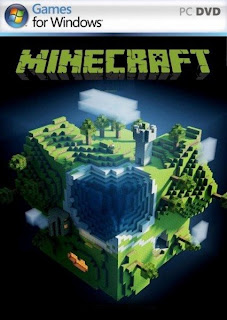
    Download Minecraft 1.4.6

    Minecraft is a sandbox construction game, inspired by Infiniminer, and created by Markus Persson, the founder of Mojang Specific...