This is a blog that consists of the things that has to do on the field of technology, information, telecommunications, entertainment, and much more. Every thing that might interest my readers will see to it that I enter this in my blog. Especially some of the things that are free. Hope you are all happy. thanks.
Download Aplikasi CAMTASIA STUDIO 7.1 - Assalamu'alaikum, bagi anda semua yang senang membuat video tutorial pada komputer atau laptop, kali ini saya menyediakan sebuah aplikasi yang sangat pas untuk anda semua.
Camtasia Studio 7.1 merupakan sebuah aplikasi yang banyak digunakan untuk membuat sebuah video tutorial. Selain hasilnya bagus, cara kerjanya pun mudah sekali. Camtasia 7.1 memiliki beberapa kemampuan yang dapat anda manfaatkan, yaitu record the screen, record voice narration dan record power point.
Tanpa panjang lebar lagi, aplikasi Camtasia Studio 7.1 ini dapat anda download dibawah ini :
Single User Licenses :
C2CCW-AMCC2-C7CCC-4KFNG-4R4D5
VC23K-28SCM-XC74C-WQJ8K-YBAD4
MACCC-QD2KC-HRAHF-5SLU3-WRF86
KC2AC-ADZAM-CSWAW-NF6XZ-N56F8
ACUFF-ZNWAC-PANMB-CC7NG-TM377
Multi User Licenses :
NWC2S-AC5WC-F869J-MFX7A-ACBMD
DQCGK-6AMHA-M24D8-MCZTM-H6AM9
5WCMH-G9DMX-88SEC-DDP63-X98AB
WCKCM-UFK2C-S8VYA-DDS8G-J4A3E
C2CCH-AZCL2-CXACE-DTVXV-Q86CD
88YCH-KKCHU-SQUJY-AKMMV-78ERM
BC25C-PQLCU-Y2SDM-SR7B2-JRF6F
Academic User Licenses :
5WCY8-GRFFD-992CK-L4V8H-86CDA
9CHAM-54QCM-HQ9ZW-PJL7D-2DA94
CXMJC-H5BM7-BSYFZ-CGHDU-XDR24
KMCDS-SHTAA-V9NNB-HC2N8-V5CA8
YZDCA-CCBCZ-MCLAC-5NL69-SBAM9
TC54C-GYVZP-BZ3DB-CPDK8-QM6D9
Buat anda yang suka terhadap film Iron Man, kali ini saya akan menyediakan kepada anda sebuah game Iron Man PC Game. Game ini bergenre action (Third peson 3D), game Iron Man atau Manusia Besi ini sangat keren. Selain tampilan yang disajikan dalam bentuk 3D, game play nya juga mantap. Kita bisa terbang kesana kemari.
MINIMUM PC REQUIREMENTS
Windows 2000/XP/Vista
2.8GHz Processor
1GB RAM
6GB Hard Disk Space
DirectX 9.0c
256MB DirectX 9.0c Video Card
Instalasi
Run setup.bat for decompress the game,
After decompress the game 1.7 Gb
and Run GameLauncher for play the game
Nobody can do real drift in the original games! It’s for the real movie scenes! List of song here too, so please stop to ask songs or tell me : fail at … We know it! Thanks Tokyo drift a la sauce GTA IV Tokyo drift in GTA 4. all credits go to the originals peoples who mades the movie, to rockstar, take two, microsoft, Grits,Teriyaki boyz, Drangon ash, Juelz Santana & the Stunts & Movies Team. Song list (in order of appearance) : – Grits – my life be like – Teriyaki boyz – tokyo drift – Juelz Santana – there it go – Drangon ash – resound You can buy there sounds.
GTA Tokyo Drift (San Andreas Mod) | 808
PC | Windows | EN | Rockstar Toronto
Genre: action-adventure, third-person, shooter
Minimum System Requirements:
384(+) MB of RAM
16x DVD-ROM drive
Keyboard & Mouse
DirectX 9 compatible Surround Sound Card
4.7 GB of free Hard Disk space for a full install
Intel Pentium 4 or AMD Athlon XP processor (or better)
Game pad with twin axis analog controls (USB or Joystick Port)
128(+) MB Video Card with DirectX 9 compatible drivers ("GeForce4" or better)
Pada postingan kali ini, saya akan menshare kepada anda semua sebuah game RPG yang lumayan terkenal, game ini bernama Cossacks : European Wars. Game Cossacks ini merupakan game strategi yang mana kita akan menjalankan sebuah desa yang akan kita kembangkan menjadi sebuah koloni besar.
Cossacks : European Wars merupakan game peperangan negara - negara eropa dimasa abad ke-16 hingga ke-18, terdapat lebih dari 85 peperangan besar didalam game RPG ini. Di dalam game ini kita dapat menset apakah kita ingin bermain single player atau multiplayer.Didalam game Cossacks terdapat 16 negara yang berbeda dengan teknologi - teknologi dan peralatan - peralatan perang yang berbeda - beda pula. Pada game ini pula, kita dapat menurunkan sekitar 8000 pasukan dalam satu pertempuran.!
PC | Windows | English | Genre : Strategy | Size 250 MB
GOM is a FREE media player with popular audio & video codecs built-in. No need to install codecs separately! Try one of your broken AVI files or one of the files that is being downloaded with GOM. GOM supports all kinds of features for highly advanced users who desire to watch video clips at the best quality. Try one of your broken AVI files with GOM that other media players couldn't play. You will discover.. the Magic..
GOM Player supports most of the condecs (AVI, DAT, MPEG, DivX, and plus more) by its own embedded codec system that you won't have to look for appropriate codecs everytime when you can't play a certain video format. For those codec that require license that cannot be distributed, GOM will automatically lead you to a open-source codec web-site.
Codec Finder
GOM Player includes many codecs (XviD, DivX, FLV1, AC3, OGG, MP4, H263 and more) so you won't need to install separate codecs for most videos. For those videos that require a separate codec, GOM Player will find one and direct you to a place where you can download open source version of the codec. That way, you won't get stuck with unnecessary codecs on your system.
Play Broken AVI Files (Patented)
AVI files can't be played if the index is broken, or the file isn't completely downloaded. This is because index is located at the end of the file. GOM Player's patented technology enables users to view files with broken index or that are still being downloaded.
Powerful Subtitle Support
GOM Player supports SMI, SRT, RT, SUB(with IDX) files for subtitle. You can specify margin, location, size, resolution, font and others. You can also enable shadow, view ASF files with subtitle, karaoke subtitle mode. You can even synchronize subtitle and video if there's any mismatch.
Convenient Playlist
GOM Player supports playlist formats such as M3U, PLS, ASX. You can include different media types on a playlist. Also, it also lets you edit playlists for different media types. It's easy to create and edit your own multimedia playlist with GOM Player.
Support Different Media Types
Along with different media format such as AVI, MPG, MPEG and DAT, GOM Player also supports streaming Windows media format (WMV, ASF, ASX). You can also watch DVD-quality videos with 5.1 channel audio output.
Screen Capture
Screen capture allows you to take a screenshot of your video directly from GOM Player. Using the Burst Capture feature, you can take continuous screenshots upto 999 shots.
Avast made great strides in its previous update. Version 5 set the stage for the modern, massively popular, and free security suite with a new interface that ditched a quirky, late-'90s jukebox style for a more polished look. Easier to navigate, it also became easier to add new features.
Make no mistake; Avast 6 adds features both big and small. Some that had previously only been available to paid upgrade users are now free for all versions, and newer features have been seamlessly added to the interface experience. If you're familiar with Avast 5, upgrading to Avast 6 won't be that big of a leap.
Avast 6's interface is virtually identical to the previous version's. Perhaps the most major change, aside from a slight lightening of the gray in the color scheme, is the removal of the Windows Explorer-style forward and backward buttons. We actually liked those, since they made it easy to return to a previous pane, no matter how deeply into the settings you had explored.
The only other change is the addition of the Additional Protection tab to the left nav area, which hosts the new AutoSandbox and WebRep feature controls.
As mentioned, the two big new features in the free version of Avast 6 are the AutoSandbox and the WebRep add-on. The debut of the AutoSandbox makes Avast the second antivirus option to offer a sandboxing tool for free. Competitor Comodo introduced a sandboxing tool in January 2010. Avast's sandbox probably works differently, as Comodo has a pending patent on its version. And certainly, one of the most frustrating things about sandboxing technology is that there are some indications that it doesn't work perfectly.
installing Avast doesn't require a reboot, and using its uninstall tool we detected no remnants in the Registry or on the desktop. Avast has said that the installer has shrunk for all three versions by about 20 percent, although it's still a large download at around 57MB for the free version.
Pada postingan kali ini, saya akan menyediakan kepada anda aplikasi anti-virus yang sangat populer diseluruh dunia. Aplikasi ini adalah AVG Anti-Virus Free Edition 2012. Banyak fitur-fitur baru yang telah dirilis dalam anti-virus ini.
Link-Scanner telah diperbaharui pada versi ini. Kemudian pada versi ini sendiri, telah ditambahkan sebuah fitur yang mana ketika web browser kita telah memakan terlalu banyak memori, maka AVG akan memberikan sebuah pop-up peringatan, apakah kita ingin merestart browser kita atau tidak. Untuk masalah instalasi sendiri, AVG Antivirus 2012 ini memakan waktu yang cukup singkat, yakni kurang lebih hanya 5 menit.Di dalam AVG Anti-Virus Free Edition 2012 ini juga terdapat AVG PC Analizer sebagai aplikasi bawaan.
Tidak berlama-lama lagi, langsung saja anda coba sendiri aplikasi ini . Silahkan anda download AVG Anti-Virus Free Edition 2012 ini melalui link berikut :
Malam teman-teman semua.. :) Kali ini saya akan sedikit menshare kepada anda semua contoh - contoh perintah pada commands Router.
Router CommandsCISCO ROUTER COMMANDS :
Usermode Commands
disconnect, hapus sesi telnet dan logout
enable, masuk ke privilegemode
ping
traceroute
Privilegemode Commands
1. clear arp-cache, hapus cache arp
2. configure terminal, masuk ke global configuration mode
3. copy running-config startup-config, simpan konfigurasi sekarang
4. copy startup-config running-config, load konfigurasi yang tersimpan
5. debug ip packet, debug paket dari tcp/ip
6. disable, kembali ke privilegemode dari global configuration mode
7. disconnect
8. erase startup-config, hapus file konfigurasi dari router
9. logout, keluar dari privilegemode
10. ping
11. reload, load kembali startup-config
12. resume , konek kembali setelah diskonek
13. show access-list, memperlihatkan semua access-list dari semua protokol pada router
14. show banner, memperlihatkan banner
15. show cdp, memperlihatkan status CDP router
16. show cdp interface, memperlihatkan interface CDP
17. show cdp neighbor
18. show cdp traffic
19. show clock
20. show flash, memperlihatkan IOS image dan file yang tersimpan di flash memory
21. show frame-relay lmi, memperlihatkan statistik detail LMI
22. show frame-relay map
23. show frame-relay pvc
24. show history, memperlihatkan semua perintah yang telah dieksekusi
25. show hosts, memperlihatkan static host yang disimpan
26. show interfaces, memperlihatkan interface yang dimiliki (semua) secara detail
27. show interfaces ethernet 0
28. show interfaces serial 0
29. show interfaces loopback 0
30. show ip arp
31. show ip eigrp neighbors
32. show ip eigrp neighbors detail
33. show ip eigrp topology
34. show ip eigrp traffic, memperlihatkan traffic statistik dari protokol eigrp
35. show ip interface
36. show ip interface brief, verify konfigurasi ip
37. show ip ospf database
38. show ip ospf interface
39. show ip ospf neighbor detail
40. show ip route, memperlihatkan konfigurasi routing
41. show protocols, memperlihatkan protokol routing yang telah dikonfigurasi dan sedang berjalan
42. show running-config, memperlihatkan konfigurasi global yang sedang berjalan
43. show sessions, memperlihatkan sesi yang ada sekarang
44. show startup-config, memperlihatkan konfigurasi yang tersimpan pada flash
45. show version, memperlihatkan informasi hardware dan firmware
46. telnet
47. traceroute
48. vlan database, mengakses vlan database atau masuk ke konfigurasi VTP
49. write erase
50. write memory
51. write terminal
Global configuration mode Commands
1. access-list {permit|deny}
2. access-list {permit|deny}
3. access-list {permit|deny}
4. access-list {permit|deny}
5. banner motd
6. cdp advertise-v2
7. cdp holdtime , mengubah nilai holdtime cdp
8. cdp run
9. cdp timer , mengubah nilai cdp timer
10. config-register
11. dialer-list protocol ip permit
12. enable password , set password untuk masuk kemode privilege
13. enable secret , set enkripsi untuk password yang disimpan
14. end, kembali ke mode privilege
15. hostname , set nama host
16. interface ethernet 0, masuk ke subconfiguration interface ethernet 0
17. interface fastethernet 0, masuk ke subconfiguration interface fastethernet 0
18. interface serial 0, masuk ke subconfiguration interface serial 0
19. interface vlan , masuk ke subconfiguration vlan
20. ip default-gateway , set default gateway
21. ip default-network
22. ip host , set static hostname lain
23. ip name-server , set DNS router
24. ip route {next-hop-ip-addr|interface-type}
25. ip route 0.0.0.0 0.0.0.0 , set defaut gateway / static route
26. ip route , set static route
27. ip routing
28. ipx routing
29. isdn switch-type
30. line aux
31. line console 0, masuk ke konfigurasi console nomer 0
32. line vty 0 4, masuk ke konfigurasi vty untuk 5 buah vty
33. no banner motd, menghapus banner
34. no ip routing, menghapus ip routing
35. no router igrp, menghapus konfigurasi route igrp
36. no router ospf, menghapus konfigurasi route ospf
37. no router rip, menghapus konfigurasi route rip
38. no vlan , menghapus vlan nomer ke sekian
39. router eigrp , masuk ke konfigurasi routing menggunakan eigrp
40. router ospf , masuk ke konfigurasi routing menggunakan ospf
41. router rip, masuk ke konfigurasi routing menggunakan rip
42. snmp-server enable traps vtp
43. username password , set username dan passwordnya
Interface subconfiguration mode Commands
bandwidth , set bandwidth yang akan dilalui interface ini dalam kilobits
cdp enable
clock rate , set clock rate dalam bits/s
compress stac in
Line subconfiguration mode Commands
1. exec-timeout [detik], pilihan detik opsional
2. login synchronous
3. password , set passwordnya
Subinterface subconfiguration mode Commands
1. description , set deskripsi dari subinterface
IP Routing Protocol subconfiguration mode Commands
1. network , set ip network
Contoh :
Lab_A>enable
Lab_A#configure terminal atau config t
Lab_A(router)#interface fast eth0/0 atau int f0/0
Lab_A(router-config)#ip add 192.168.0.2 255.255.255.0 (misal)
Lab_A(router-config)#no shut (mengaktifkan Network IP kayak service
network restart kalo di linux)
Lab_A(router-config)#end
Lab_A#show ip interface brief ( melihat configurasi IP yg telah diseting )
Halo semuanya, pada malam kali ini saya ingin mempostingkan artikel tentang perintah - perintah yang ada pada command prompt di Windows. Command Prompt sendiri adalah sebuah perintah dos yang terdapat pada OS windows yang dapat memudahkan user dalam menjelajahi windows baik secara online maupun offline, dan aplikasi ini bisa juga disalahgunakan oleh seorang cracker untuk menjalankan aksi-aksinya hanya dengan menggunakan command prompt. Maka dari itu sebagai langkah antisipasi bagi anda sebagai user adalah dengan mengenal lebih jauh tentang seluk beluk dari command prompt agar bisa memahami cara kerja dan manfaatnya, salah satu dari sekian banyak manfaat dari command prompt adalah kemampuannya
berikut adalah perintah-perintah dalam command prompt : A
ARP : Address Resolution Protocol
Assoc : Ubah ekstensi file asosiasi
ASSOCIAT : Salah satu langkah asosiasi file
Attrib : Ubah atribut berkas
B
Bootcfg : Edit Windows boot settings
BROWSTAT : Dapatkan domain, info browser dan PDC
C
CACLS : Ubah file permissions
CALL : Panggil satu program batch yang lain
CD : Mengganti Directory – pindah ke Folder tertentu
Change : Ganti Terminal Server Session properties
CHKDSK : Check Disk – memeriksa dan memperbaiki masalah disk
CHKNTFS : Periksa sistem file NTFS
CHOICE : Menerima input keyboard ke sebuah file batch
CIPHER : Encrypt atau Decrypt file / folder
CleanMgr : Ototmatis membersihkan Temperatur file, recycle bin
CLEARMEM : Hapus kebocoran memori
CLIP : Salin STDIN ke Windows clipboard.
CLS : Menghapus layar (Clear The Screen)
CLUSTER : Windows Clustering
CMD : Start a new CMD shell
COLOR : Mengubah warna dari jendela CMD
COMP : Membandingkan isi dari dua file atau set file
COMPACT : Compress file atau folder pada partisi NTFS
Compress : Compress tunggal file pada partisi NTFS
CON2PRT : Menghubungkan atau memutuskan sambungan dengan Printer
CONVERT : Konversi FAT ke drive NTFS
COPY : Menyalin satu atau lebih file ke lokasi lain
CSCcmd : clien-side caching (Offline Files)
CSVDE : Impor atau Ekspor Active Directory data
D
DATE : Display atau mengatur tanggal
Defrag : Defragment hard drive
DEL : Menghapus satu atau lebih file
DELPROF : Hapus profil pengguna NT
DELTREE : Menghapus folder dan semua subfolder
DevCon : Device Manager Command Line Utility
DIR : Menampilkan daftar file dan folder
DIRUSE : Tampilkan penggunaan disk
DISKCOMP : Bandingkan isi dua floppy disk
Diskcopy : Salin isi dari satu disket ke yang lain
DISKPART : Disk Administrasi
DNSSTAT : DNS Statistik
DOSKEY : Edit baris perintah, ingat perintah, dan membuat macro
DSADD : Tambah User (komputer, group ..) ke direktori aktif
DSQUERY : Daftar item dalam direktori aktif
DSMOD : Ubah user (computer, group ..) di direktori aktif
DSRM : Hapus item dari Active Directory
E
ECHO : Menampilkan pesan di layar
ENDLOCAL : Akhir localisation perubahan lingkungan dalam file batch
ERASE : Menghapus satu atau lebih file
EVENTCREATE : Tambahkan pesan ke Windows event log
EXIT : Keluar dari skrip arus / rutin dan menetapkan errorlevel
EXPAND : uncompress file
Ekstrak : uncompress file CAB
F
FC : Bandingkan dua file
FIND : Mencari string teks dalam sebuah file
FINDSTR : Cari string dalam file
FOR / F : pengulangan perintah terhadap satu set file
FOR / F : pengulangan perintah terhadap hasil perintah lain
FOR : pengulangan perintah terhadap semua options Files, Directory, List
FORFILES : Proses Batch beberapa file
FORMAT : Format disk
FREEDISK : Periksa free disk space/disk yang tersisa (dalam bytes)
FSUTIL : File dan Volume utilitas
FTP : File Transfer Protocol
FTYPE : Tampilkan atau memodifikasi jenis file yang digunakan dalam asosiasi ekstensi file
G
GLOBAL : Display keanggotaan kelompok global
GOTO : Direct a batch program untuk melompat ke baris berlabel
GPUPDATE : Update pengaturan Kebijakan Grup
H
HELP : Online Help
I
ICACLS : Ubah file dan folder permissions
IF : kondisional melakukan perintah
IFMEMBER : Apakah pengguna saat ini dalam sebuah NT Workgroup
IPCONFIG : Configure IP
K
KILL : Remove program dari memori
L
LABEL : Edit disk label
LOCAL : Display keanggotaan kelompok-kelompok lokal
LOGEVENT : Menulis teks ke NT event viewer
Logoff : user log off
LOGTIME : log tanggal dan waktu dalam file
M
MAPISEND : Kirim email dari baris perintah
MBSAcli : Baseline Security Analyzer
MEM : Display penggunaan memori
MD : Buat folder baru
MKLINK : Buat link simbolik (linkd)
MODE : Mengkonfigurasi perangkat sistem
MORE : Display output, satu layar pada satu waktu
MOUNTVOL : mengelola volume mount point
MOVE : Pindahkan file dari satu folder ke yang lain
MOVEUSER : Pindahkan pengguna dari satu domain ke domain lainnya
MSG : mengirim pesan atau message
MSIEXEC : Microsoft Windows Installer
MSINFO : Windows NT diagnostics
MSTSC : Terminal Server Connection (Remote Desktop Protocol)
MUNGE : Cari dan Ganti teks dalam file (s)
MV : Copy in-menggunakan file
N
NET : Kelola sumber daya jaringan
NETDOM : Domain Manager
Netsh : Configure Network Interfaces, Windows Firewall & Remote akses
NETSVC : Command-line Service Controller
NBTSTAT : Tampilkan statistik jaringan (NetBIOS over TCP / IP)
NETSTAT : Display networking statistics (TCP / IP)
NOW : Tampilan saat ini Tanggal dan Waktu
NSLOOKUP : Nama server lookup
NTBACKUP : Backup folder ke tape
NTRIGHTS : Edit hak user account
P
PATH : Menampilkan atau menetapkan path pencarian untuk file executable
PATHPING : jejak jalur jaringan ditambah paket latensi dan kerugian
PAUSE : memenjarakan(suspend) pengolahan file batch dan menampilkan pesan
perms : Tampilkan izin untuk pengguna
PERFMON : Kinerja Monitor
PING : Menguji koneksi jaringan
POPD : Mengembalikan nilai sebelumnya dari direktori sekarang yang disimpan oleh PUSHD
PORTQRY : Tampilan status ports dan services
Powercfg : Mengkonfigurasi pengaturan daya
PRINT : Mencetak file teks
PRNCNFG : Display, mengkonfigurasi atau mengubah nama printer
PRNMNGR : Tambah, menghapus, daftar printer menetapkan printer default
PROMPT : Mengubah command prompt
PsExec : Proses Execute jarak jauh
PsFile : menampilkan file dibuka dari jarak jauh (remote)
PsGetSid : Menampilkan SID sebuah komputer atau pengguna
PsInfo : Daftar informasi tentang sistem
PsKill : proses mematikan berdasarkan nama atau ID proses
PsList : Daftar informasi rinci tentang proses-proses
PsLoggedOn : siapa saja yang log on (lokal atau melalui resource sharing)
PsLogList : catatan kejadian log
PsPasswd : Ubah sandi account
PsService : Melihat dan mengatur layanan
PsShutdown : Shutdown atau reboot komputer
PsSuspend : proses Suspend
PUSHD : Simpan dan kemudian mengubah direktori sekarang
Q
QGREP : Cari file(s) untuk baris yang cocok dengan pola tertentu
R
RASDIAL : Mengelola koneksi RAS
RASPHONE : Mengelola koneksi RAS
Recover : perbaikan file yang rusak dari disk yang rusak
REG : Registry = Read, Set, Export, Hapus kunci dan nilai-nilai
REGEDIT : Impor atau ekspor pengaturan registry
Regsvr32 : Register atau unregister sebuah DLL
REGINI : Ubah Registry Permissions
REM : Record comments (komentar) di sebuah file batch
REN : Mengubah nama file atau file
REPLACE : Ganti atau memperbarui satu file dengan yang lain
RD : Hapus folder (s)
RMTSHARE : Share folder atau printer
Robocopy : Copy File dan Folder secara sempurna
RUTE : Memanipulasi tabel routing jaringan
RUNAS : Jalankan program di bawah account pengguna yang berbeda
RUNDLL32 : Jalankan perintah DLL (add / remove print connections)
S
SC : Control Layanan
SCHTASKS : Jadwal perintah untuk dijalankan pada waktu tertentu
SCLIST : Tampilkan Layanan NT
SET : Display, set, atau menghapus variabel environment
SETLOCAL : Pengendalian environment visibilitas variabel
SETX : Set variabel environment secara permanen
SFC : Pemeriksa Berkas Sistem
SHARE : Daftar atau mengedit file share atau share print
SHIFT : Shift posisi digantikan parameter dalam sebuah file batch
SHORTCUT : jendela Buat shortcut (. LNK file)
SHOWGRPS : Daftar NT Workgroups seorang pengguna telah bergabung
SHOWMBRS : Daftar Pengguna yang menjadi anggota dari sebuah Workgroup
SHUTDOWN : Shutdown komputer
SLEEP : Tunggu untuk x detik
SLMGR : Software Licensing Management (Vista/2008)
SOON : Jadwal perintah untuk menjalankan dalam waktu dekat
SORT : Sort input
START : memulai sebuah program atau perintah dalam jendela terpisah
SU : Switch User
SUBINACL : Edit file dan folder Permissions, Kepemilikan dan Domain
SUBST : Associate jalan dengan huruf drive
Systeminfo : Daftar konfigurasi sistem
T
TASKLIST : Daftar menjalankan aplikasi dan services
TASKKILL : Hapus proses yang berjalan dari memori
TIME : Menampilkan atau mengatur waktu sistem
TIMEOUT : penundaan pemrosesan dari sebuah batch file
TITLE : Mengatur judul window untuk sesi cmd.exe
TLIST : daftar tugas dengan path lengkap
TOUCH : mengganti file timestamps
Tracert : Trace route ke sebuah remote host
TREE : tampilan grafis struktur folder
TYPE : Menampilkan isi dari file teks
U
USRSTAT : Daftar domain nama pengguna dan terakhir login
V
VER : Tampilkan versi informasi
VERIFY : Pastikan bahwa file sudah disimpan
VOL : Menampilkan sebuah label disk
W
WHERE : Menempatkan dan menampilkan file dalam sebuah pohon direktori
wHOAMI : Output UserName saat ini dan manajemen domain
WINDIFF : Bandingkan isi dua file atau set file
WINMSD : Sistem Windows diagnostik
WINMSDP : Sistem Windows diagnostik II
WMIC : Perintah WMI
X
XCACLS : Ubah file dan folder permissions
XCOPY : Menyalin file dan folder
Pada postingan kali ini, saya akan menshare kepada anda semua sebuah aplikasi yang bernama MP3 Cutter and Editor. Aplikasi ini dapat anda gunakan untuk melakukan pemotongan pada musik mp3 dan dapat juga melakukan pengeditan-pengeditan yang lainnya.
Berikut adalah beberapa fitur dari aplikasi MP3 Cutter and Editor :
Delete Selected - Deletes selected part from the MP3 document.
Delete Unselected - Deletes unselected part from the MP3 document.
Change Volume - Changes audio volume by specifying a percentage value.
Maximize Volume - Increases volume as high as possible without distortion.
Fade In - Gradually increases the volume throughout the selection.
Fade Out - Gradually decreases the volume throughout the selection.
Convert to Stereo - Duplicates mono track to make a stereo track.
Convert to Mono - Mixes all channels to make a mono track.
SeaMonkey is a web-browser, advanced e-mail and newsgroup client, IRC chat client, and HTML editing
The SeaMonkey project is a community effort to deliver production-quality releases of code derived from the application formerly known as "Mozilla Application Suite".
Whereas the main focus of the Mozilla Foundation is on Mozilla Firefox and Mozilla Thunderbird, our group of dedicated volunteers works to ensure that you can have "everything but the kitchen sink" and have it stable enough for corporate use.
SeaMonkey - Web-browser, IRC chat client, advanced e-mail and newsgroup client and HTML editing made simple - all your Internet needs in one application brought to you by Mozilla.
SeaMonkey has inherited the successful all-in-one concept of the original Netscape Communicator and continues that product line based on the modern, cross-platform architecture provided by the Mozilla project.
The Internet browser at the core of the SeaMonkey suite uses the same rendering engine as its sibling Mozilla Firefox, with popular features like tabbed browsing, popup blocking, find as you type and a lot of other functionality for a smooth web experience.
SeaMonkey's Mail and Newsgroups client shares lots of code with Mozilla Thunderbird and features adaptive Junk mail filtering, labels and mail views, multiple accounts, S/MIME, address books with LDAP support and is ready for both private and corporate use.
Additonal components include an easy-to-use HTML Editor, the ChatZilla IRC chat application and web development tools like a DOM Inspector and a javascript debugger.
If that's still not enough, SeaMonkey can be extended with numerous Add-Ons that provide additional functionality and customization for a complete Internet experience.
Top class font manager for OpenType, TrueType, Type1 fontsTypograf is a useful and efficient software for previewing and managing OpenType, TrueType or Type1 fonts.
Displays all font properties (typeface classification, kerning pairs, file data, copyright...). Views character set, keyboard layout, zoom view. Finds similar fonts and compares several fonts tabularly.
Prints fonts in many ways. Manages fonts in database and font groups. Font file management functions. Information about typefaces and typography.
This simple and easy-to-use application can quickly search your drives for duplicate font files. With the help of Typograf you can edit the file information (name, copyright).
Here are some key features of "Typograf":
View and preview fonts:
· Display all OpenType, TrueType and Type 1 fonts on hard drives, DVD, CD, opticals, floppies or specific folders, including all subfolders. Sort viewed fonts by name, file, family, copyright, width, date, size.
Typograf displays following font types:
· OpenType and TrueType fonts (preview, installed, loaded by Typograf)
· PostScript Type 1 fonts (preview, installed, loaded by Typograf)
· Printer fonts
· Raster or bitmap fonts (system fonts)
Display all font properties:
· Font information: full name, family name, creator, version, copyright, trademark, file size, date, file location path
· typeface classification by PANOSE system, IBM Font Classes or the Windows internal metric structure
· character set
· keyboard layout
· zoom view for details
· edit font information
· Compare fonts
· find related fonts based on typeface classifications
· compare various fonts using tables that show major font features, file data, character width, number of kerning pairs, ...
· find duplicate fonts on disks, DVD, CD and more.<>
Print fonts:
· Print 1, 6, 20, 40 or 80 fonts on an A4 page
· Two kinds of sample page for a font, including character set
· Print character set, keyboard layout
· Font file management functions: copy, move, delete font files, load or unload fonts, install or uninstall fonts.
Manage fonts in database and font groups:
· Keep your TrueType and PostScript fonts in order using a font database and font groups.
· Catalog all your fonts with the database. That way you'll always know which DVD, CD-ROM or folder your fonts are on.
· Organize your fonts into font groups to load them as needed.
Information about typefaces and typography:
· TrueType and Type 1 Reference
· Typeface Classifications
· Mixing & Matching Typefaces
· Choosing an appropriate Type
· Typesetting
Home Page - http://www.neuber.com/typograph/index.html
Phone to PC (formerly "Pod to PC") is iPad, iPod or iPhone transfer software that easily copies music, videos, playlists and photos from iPod to computer and into iTunes. Phone to PC works with all iPods including the iPad and iPhone. Phone to PC uses the USB cable and works with or without jail-breaking the iPhone/iPod so there's no need to modify your iPod.
Copy from iPod, iPad & iPhone
Phone to PC lets you easily transfer music or video files from any iPod, iTouch, iPad or iPhone onto you computer and into iTunes.
Automatic Transfer
For users looking to recover all their music, the Automatic Transfer button will quickly transfer all songs and playlists from your iPod or iPhone that are not already in iTunes. This is the easiest way to move music to your new computer or recover from a crash.
Recover Metadata
Listen to a few tracks 100+ times and proud of it? Along with your songs, Phone to PC will copy your play counts, ratings (out of 5 stars), album names and much more.
Playlist Builder
Easily copy whole or partial playlists from any iPod into iTunes. With Phone to PC's duplicate detection, you can even recreate playlists without having to copy the tracks again!
Search iPod, iPad and iPhone for Music
Quickly find the tracks you're looking for with the Phone to PC search bar and filter option. This search feature allows users to find music by search for track name, artist name or album name.
iPod and iPhone Picture Transfer
Phone to PC includes a free image transfer features which parse the enigmatic Photo Database then reveals the images that were saved to the device.
Address Book
Looking for a way to transfer contacts from an iPhone, iPad or iPod Touch to your PC? Simply drag contacts to the Desktop or drop them directly into Outlook.
SMS and Notes
Need a specific text message or note from your iPhone, iPad or iPod Touch on your computer? Copy and manage your SMS and notes all on your PC.
Crash Recovery
Phone to PC is the ideal solution for recovering iTunes after a computer crash. Simply download, install and click auto-transfer and everything will be back the way it was before.
Avoid Duplicates
With built in duplicate detection, Phone to PC shows a blue check mark next to tracks that are already in iTunes. If you try to copy these tracks the software will only add a reference to the existing local track in your target playlist.
Drag and Drop Support
Quickly and intuitively copy songs to your computer by dragging and dropping from Phone to PC. This feature also works with images and videos too!
Call History, Web History
Browse and sort through your Call and Web history. Access, browse and save your Safari bookmarks.
Calendar
Keep those important dates by browsing through your Calendar.
Preview Audio, and Video and Photos
Want to play music without using iTunes? Phone to PC lets you preview music and movies on any iPod before transferring it into your iTunes library.
Free Upgrades
Apple Inc. is constantly changing how the iPod and iPhone works (think about how often you have to update iTunes or your iPod's firmware). Phone to PC is updated just as rapidly to adapt to these changes. Phone to PC full-version users will receive complementary updates so they don't have to keep buying the same software again and again.
Copy Voicemails
Listen to that important voicemail message directly on your computer. Then backup and store your voicemails on your PC.
iDemo is a tool that simplifies real-time demonstrations of iPhone apps and games. iDemo connects to your iPhone over WiFi and mirrors your iPhone screen on your desktop, in real-time – kinda like Steve Jobs during his keynote presentations.
System Requirements :
In order to use iDemo, you need a computer running one of the following Operating Systems:
Windows XP Service Pack 3 or higher (including Windows Vista , Windows 7)
and a jailbroken iPhone running one of the following applications:
ScreenSplitr
Display Recorder
IMPORTANT NOTE: iDEMO ONLY WORKS WITH JAILBROKEN IPHONES AT THE MOMENT.
Known issues :
We’re working hard trying to resolve some last minute issues including:
On Windows Vista or 7, your user needs to be an Administrator for iDemo to install properly. If you’re not, simply right click on the installer and select “Run As Administrator”.
On Windows XP, the spinning widget can cause some performance hits. For this reason, you can disable it by opening the contextual menu using the mouse right-click on the iPhone and uncheck “Extra Visual Effects”.
Corel Home Office is a sleek new office suite for word processing, spreadsheets and presentation projects. Designed for the work you do at home, it features a fresh and simple interface with tabbed toolbars for quick navigation.
New Corel Home Office makes working at home simple. Similar to the office suites you've used before, it features familiar tabbed toolbars that put the right tools just where you need them. Quickly prepare, edit and present great-looking letters, reports, quotations, memos, mailings and newsletters. Share files and information easily with Microsoft Office compatibility and built-in PDF publishing. Using Corel Home Office you can; Write high-quality letters, résumés, reports and term papers; Create spreadsheets, charts and graphs, and balance budgets; Make slideshows with photos and charts; Open, edit and save Microsoft Office files to easily share work with others; Create PDF documents from any application; Switch languages at the click of a button. Enjoy doing it all in a workspace that you customize yourself so you feel comfortable instantly.
Corel Home Office includes:
Corel® Write. Find everything you need to prepare, edit and present great-looking letters, reports, quotations, memos, mailings and newsletters.
* Open and save Microsoft® Office Word files
* Catch spelling errors as they occur and fix them with Autocorrect. Available in multiple languages
* Automatically correct grammatical errors in English, French, Spanish and German
Corel® Calculate. This is the perfect tool for managing the numbers in your life, from business accounts and home finances to homework problems.
* Open and save Microsoft® Office Excel® files and charts
* Create macros and pivot tables (visual summary of data)
* Convert your spreadsheets to PDF for easy sharing and collaboration
Corel® Show. Use a range of visual and text effects to make sure your message is delivered with maximum impact.
* Create professional-looking slideshows with customizable transitions
* Insert graphs or charts, and easily reorder pages
* Save in Microsoft® Office PowerPoint® format for easy sharing
Features:
Full Office Suite. Access all the office tools you need to create impressive documents, spreadsheets and presentations—at an affordable price.
Microsoft® Office Compatibility. Open, edit, create and save Microsoft Office documents to easily share work with anyone.
Tabbed Toolbars and Clean Icons. Find commonly used features and functions quickly in this new, modern interface that features a ribbon layout that’s familiar to people experienced with Microsoft Office 2007 Ribbon toolbars.
Open XML Compatibility. Open, edit and save Open XML formats, the latest file format from Microsoft Office 2007.
PDF Creation. Save your files in PDF format with any of the applications within Corel Home Office. No need to buy more software!
Familiar Workspace. Pick your preferred workspace so you instantly feel comfortable and start working productively. Choose between Tabbed Toolbars, familiar to people experienced with Microsoft Office 2007 Ribbon Toolbars; or regular-sized toolbars, familiar if you’re a Microsoft Office 2003 or WordPerfect Office user.
Multilingual Workspace. Work in your language of choice, choosing from English, French, Italian, German, Spanish, Chinese, Dutch and more. Multiple languages are available at the click of a button.
Customizable Color Scheme. Have fun changing the background color of your workspace, pages and toolbars to suit your mood.
Built-in Help. Get help with the click of a button so you can master Corel Home Office and get your work done quickly.
System Requirements
Microsoft® Windows® 7, Windows Vista® Home Basic, Home Premium, Ultimate, and Business (32-bit and 64-bit) or Windows® XP Home, Media or Professional Edition (32-bit and 64-bit) (with latest Service Pack and critical updates)
256 MB RAM (512 MB recommended)
1 GHz processor
125 MB minimum (one language) or 300 MB (for all 13 languages) hard disk space for full installation of all included applications
Minimum of 800 x 600 screen resolution
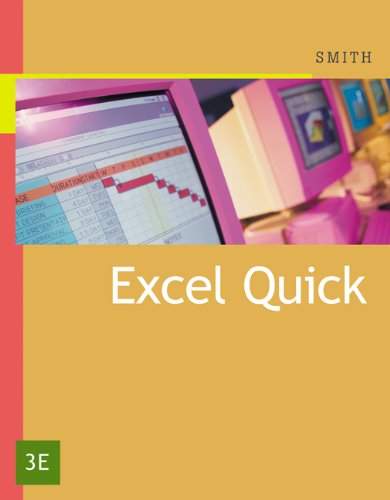
Excel Quick is designed for busy people who need a quick understanding of Excel. The goal of this tutorial is to get you up and running in Excel within one hour. Written for business students, the book has many real world examples. This tutorial covers Excel 2007, but also includes prior versions of Excel 2003, Excel 2002 XP, Excel 2000, and Excel 97, discussing the differences where they exist.
Driver Checker is designed to effectively detect the outdated or broken device drivers and satisfy the application upgrade requirements if you can not find the new versions available from the original manufacturers. Driver Checker can deep scan your hardware devices, detect and update the outdated drivers if available, completely backup them and restore them if necessarily; You can also uninstall the drivers completely on demand. Driver Checker does all of these through the easy-to-use interface and makes your system running more secure, stable and always up-to-date.
Key Features and Benefits of Driver Checker:
Starightfoward and intuitive interface
Better PC performance and improved stability
Access to the largest drivers database in the industry
Continous updates for the latest manufacturer drivers
Submit the unavailable drivers updated in next version
Unlimited technical supports with our 24x7 technicians
Automatically update and maintain these drivers: Printer Drivers, USB Drivers, Sound/Audio Drivers, Vista Drivers, Bluetooth Drivers, Mouse Drivers, Keyboard Drivers, RAID Drivers, Scanner Drivers, Video Drivers, Modem Drivers, Network Drivers, Linksys Drivers, Webcam Drivers, Graphic Drivers, VGA Drivers & Other Windows Drivers!
Home Page - http://www.driverchecker.com
Click this button for download Driver Checker Full :
K-Lite Codec Pack Update - an update to the popular set of codecs. This update applies to all packages of the series, namely for K-Lite Codec Pack 7.xx in various versions (Lite, Basic, Standard, Full, Mega Codec Pack).
Changelog:
Updated Media Player Classic Home Cinema to version 1.5.3.3864
Updated ffdshow to version 1.1.4096
Updated LAV Filters to version 0.40 build 2011-11-29.
HWiNFO32 are professional hardware information and diagnostic tools supporting latest components, industry technologies and standards. Both tools are designed to collect and present the maximum amount of information possible about computer's hardware which makes them suitable for users searching for driver updates, computer manufacturers, system integrators and technical experts as well. Retrieved information is presented in a logical and easily understandable form and can be exported into various types of reports.
Features:
Comprehensive hardware information
System health monitoring
Basic benchmarks
Text, CSV, XML, HTML, MHTML report formats
Periodical updates
OS: Windows 9x/2000/XP/Server 2003/Vista/Server 2008
Platform: 32-bit (IA-32), 64-bit (x64, IA-64)
Available as HWiNFO32 SDK (Custom Client)!
What's new:
Added support of AMD FT2 (Krishna) Processors.
Improved XTU support.
Added reporting of total CPU usage.
Enhanced sensor monitoring on MSI MS-7676 (Z68MA-ED5).
Added a new method for measuring CPU clock for Nehalem and later CPUs.
Fixed a possible crash on Sandy Bridge-E/EN/EP.
Fixed Sandy Bridge-E/EN/EP SPD read support.
Enhanced sensor monitoring on Intel DZ68 series.
Enhanced support of VIA Nano and later, added reporting of core temperatures.
Added reporting of current CPU core clock in sensors.
Added nVidia GeForce 610M and GeForce GT 630M.
Added possibility to include multiple items per one RivaTuner OSD line.
ZipItFree is a great application which supports over 15 compression formats, Including (ACE, ARC, BH, BZip, CAB, GZIP, JAR, LHA, RAR, TAR, UUE, XXE, ZIP,Zoo, And Archive Stream). With ZipItFree easy to use modern interface working with archives is fun and easy. The ZipItFree windows integration gives you One Click capability for most of compression functions like Extract Here, Zip & Email.