Pages

Avira AntiVir Premium 10.0.0.597

Avira AntiVir 10 - a new line of reliable and proven German antivirus. This anti-virus, the number of users which exceeded 15 million, complete with personal firewalls, web and mail security services - will protect your computer from many viruses.

- Improved user interface
A convenient grouping of options in the settings - both in ordinary and in expert mode.
- Function time constraints in the module "parental control"
Now you can set time limits for Internet usage on your computer, specifying certain hours or the maximum time access to Internet resources.

- Update module Guard
The new module Guard restoration function of your operating system in case of active infection. If you notice the malware, access to it blocked, then you can click the "Delete" or view the details prior to disposal. Now the Guard will be able to remove even the not yet known, active malware.

- Signature in an e-mail address (optional)
AntiVir MailGuard can now be added to outgoing e-mail signature "Checked AntiVir" or other text, user selectable
- OS: Windows XP/Vista/7
- Interface: English


Download : Avira AntiVir Premium v10.0.0.597 + License Till 4/5/2011

Source : NimbuzzerDotNet

Avira AntiVir Personal 10 Free


Avira merupakan sebuah perusahaan antivirus yang menyediakan beberapa productnya yang dapat kita gunakan dengan gratis. Sebagai contohnya adalah Avira AntiVir Personal Free. Walaupun program ini bersifat gratis, tetapi fitur yang ditawarkan termasuk sangat baik. Program ini dapat mendeteksi berbagai jenis malicious programs yang berada di dalam komputer anda, termasuk juga virus, Trojans, Backdoor programs, hoaxes, worms, dialers, dan lain-lain.

Avira AntiVir Personal Free merupakan
aplikasi yang mudah untuk digunakan. Antivirus ini dapat diandalkan untuk menjaga system anda. Aplikasi gratis ini hanya diperuntukkan untuk personal user saja, dan tidak untuk dikomersialkan untuk bisnis.


Avira AntiVir Personal memberikan beberapa fungsi kepada anda :
· Control Center for monitoring, administering and controlling the entire program
· Central configuration with user-friendly standard and advanced options and context-sensitive help
· Scanner (On-Demand Scan) with profile-controlled and configurable search for all known types of virus and malware
· Integration into the Windows Vista User Account Control allows you to carry out tasks requiring administrator rights
· Guard (On-Access Scan) for continuous monitoring of all file access attempts
· Integrated quarantine management to isolate and process suspicious files
· Rootkit protection for detecting hidden malware installed in your computer system (rootkits) (Only for 32-bit systems)
· Direct access to detailed information on the detected viruses and malware via the Internet
· Simple and quick updates to the program, virus definitions, and search engine through Single File Update and incremental VDF updates via a webserver on the Internet
· Integrated Scheduler to plan one-off or recurring tasks, such as updates or test runs
· Very high rates of virus and malware detection using innovative search technologies (search engines) and heuristic search processes
· Detection of all common archive types, including detection of nested archives and smart extensions
· High-performance multithreading function (simultaneous high-speed scanning of multiple files)

CATATAN :
Avira AntiVir Personal adalah aplikasi gratis dan tidak untuk komersial. License key bisa di download dari SINI.

Ini adalah beberapa key features dari "Avira AntiVir Personal - Free Antivirus":

· AntiVir protection against viruses, worms and Trojans AntiDialer protection against expensive dialers
· AntiRootkit protection against hidden rootkits
· Faster Scanning up to 20% faster
· AntiPhishing protection against phishing
· AntiSpyware protection against spyware and adware NetbookSupport for laptops with low resolution
· QuickRemoval eliminates viruses at the push of a button


Requirements:

· At least 100 MB of free hard disk memory space (more if using Quarantine for temporary storage)
· At least 192 MB RAM under Windows 2000/XP
· At least 512 MB RAM under Windows Vista
· For the installation of Avira AntiVir Personal: Administrator rights
· For all installations: Windows Internet Explorer 6.0 or higher


Avira AntiVir ProActiv:
· Avira AntiVir, versi 10 sekarang dilengkapi dengan sebuah merek baru berbasis host sistem pencegahan intrusi disebut Avira AntiVir ProActiv. AntiVir ProActiv akan selalu memantau perilaku sistem secara real-time dan mencari peristiwa yang tidak biasa.

· Aturan sistem terpadu dapat memutuskan secara proaktif jika peristiwa tertentu (atau kombinasi kejadian) mengindikasikan bahwa system sedang diserang dari malware baru atau tidak dikenal.

· Jika aturan cocok, pengguna kemudian dapat memutuskan apa yang harus dilakukan dengan kejadian ini.


Avira AntiVir dapat anda download pada link ini :
http://www.softpedia.com/progDownload/AntiVir-Personal-Edition-Download-6527.html

Download Seven Transformation Pack

Seven Transformation Pack dapat mengubah tampilan sistem XP anda menjadi seperti Windows 7 dan beberapa fitur-fitur lainnya. Anda tidak perlu membeli sebuah OS Windows 7 atau aplikasi dari pihak ke-3 untuk mendapatkan Windows 7 UI Experiences. Seven Transformation Pack ini yang akan melakukannya untuk anda dan yang pasti GRATIS.
Aplikasi ini akan mengUpdate Windows XP dan Windows Server 2003 anda dengan Windows Seven GUI dengan menambahkan beberapa thema dan mengganti file-file system.
Seven Transformation Pack akan memberikan system anda kesegaran dan tampilan yang keren dengan tampilan system operasi baru dari Microsoft : Windows 7. Aplikasi ini akan mengubah sebagian besar icon-icon system, skins, dan toolbar serta menambah beberapa perangkat baru pada desktop anda.
What's New in This Release: [ read full changelog ]

  • Added giannisgx89's "Windows 7" visual style for Windows Vista
  • Added localization support with some fixes in wording and correction (You can modify vilang.sif for program to read in other languages. It may not work on languages with IME unicode charset though)
  • Added more system files modification for Windows Vista
  • Shell Elements (Start Menu, Explorer)
  • Startup Animation
  • Tray Icons Set
  • Added uxtheme.dll patching for custom theme compatibilities in Windows XP x64 Edition and Windows Vista (x86/x64)
  • Added Windows setup files selection warning for people who use this normally but curious about it
  • Added x64 system files modification support (Requires .NET Framework 2.0 or higher)
  • Fixed 3rd-party applications startup conflicts with installation in configuration file
  • Fixed boot screen not applying in some operating systems
  • Fixed directory writable checking before preserving vtp.sif in local directory (CD, Network, etc.)
  • Fixed exiting application when unsupported OS detected for ux...


Click here for DOWNLOAD SEVEN TRANSFORMATION PACK

Transform Windows XP to Mac OSX Leopard X


At this time , I will tell you how to change the look of Windows XP to display the Mac OS X. You do not needed buying this OS, just by using your Leopard-X you've been able to enjoy Machintos on your XP.
Leopard-X is an application that can change the look of Windows XP will become like the look of Mac OS X. Inside Leopard-X there is include an Leopard-X Visual Style (4 Variations), Leopard-X styler , Leopard-X Mac Search Skin, Leopard-X Dock Skin & Wallpaper.
But, before that Windows XP will require additional some applications, namely uxtheme multipatches. After you install it,you may now install Leopard-X.


DOWNLOAD MAC OSX Leopard X

Mengganti tampilan XP menjadi Linux Ubuntu

Bagi anda yang menyukai tampilan Ubuntu tetapi tetap ingin menggunakan fitur-fitur dari XP. Anda tidak perlu mengganti OS anda, cukup dengan mengganti tampilan XP menjadi tampilan Ubuntu.

Cukup dengan Ubuntu Ultimate Customization Pack anda akan mendapatkan tampilan Ubuntu secara menyeluruh. Software ini dapat anda download secara gratis.

Dengan cara ini anda akan mendapatkan tampilan yang sangat berbeda pada XP anda. Mungkin sampai-sampai anda akan lupa jika anda sedang menggunakan OS XP (tapi hal itu terlihat mustahil.. :) ).


softweare ini dapat anda download pada link berikut :

http://www.ziddu.com/download/10475955/Ubuntu_Ultimate_Customization_Pack.zip.html


mengubah tampilan XP menjadi Vista menggunakan Vista Skin Pack


Kebanyakan pengguna Windows XP merasa bosan dengan tampilan sistem operasinya yang hanya seperti itu saja, seperti anda contohnya . Kini saya akan menjelaskan cara mengganti tampilan Windows XP anda menjadi layaknya Windows Vista.Eeeits,, disini saya tidak akan meminta anda untuk mematikan komputer kemudian pergi ke toko komputer untuk membeli sebuah Vista OS (kecuali jika anda merupakan orang yang memiliki banyak uang , hehe). Tapi disini saya akan memberikan anda sebuah tips agar Windows XP anda menjadi seperti Vista.
Mungkin hal ini sudah kuno atau basi bagi berbagai kalangan, karena hal ini sudah ada sejak beberapa tahun lalu di mana vista sudah mulai marak di bicarakan dan sudah muncul berbagai software agar tampilan XP berubah menjadi vista. Yang paling terkenal adalah Vista transformation pack. Namun Vista Transformation pack yang sekarang sudah mencapai versi ke 8 cukup berat bagi beberapa komputer dan cukup memakan source yang dapat membuat komputer anda berjalan lebih lambat.

Sebenarnya terdapat sebuah aplikasi transformation yang sejenis dengan
Vista Transformation Pack. Program ini juga lebih ringan dan paling rendah dalam hal menggunakan resource komputer. Perubahan yang dilakukan oleh aplikasi ini terdapat pada tampilan gambar, menu, icon, animasi dan lain sebagainya. Nama dari aplikasi ini adalah Vista Skin Pack 5.0.
Features :

  • Supports Windows XP SP1, SP2, SP3, Media Center and 2003.
  • Low system requirements, Works well on 500 Mhz CPU with 256 MB RAM.
  • Easy Restore to original theme.
  • Media Player 11 Multi Color Aero Interface, Aero Skin Pack
  • With Basic & Dark Themes.

Selain itu terdapat juga menu restore untuk mengembalikan ke bentuk tampilan semula.
untuk mendownload aplikasi ini silahkan klik
disini

Change the look of XP into Vista with Vista Skin Pack 5.0 Ultimate

Most Windows XP users to feel bored with the look of the operating system is just like that, like your example . Now I will explain how to change the look of Windows XP will be like Windows Vista.

Eeeits,, here I will not ask you to turn off the computer and then go to the computer store to buy a Vista OS (except if you are someone who has a lot of money, hehe). But here I will give you a tips for Windows XP will be just like Vista.
Maybe this is already old or stale for various circles, because it already existed since a few years ago where the vista is starting to bloom in talking about and has appeared many XP software to display changed to vista. The most famous is the Vista Transformation pack. But Vista Transformation Pack has now reached the version number 8 pretty heavy for some computers and consuming enough source that could make your computer run more slowly.

Actually there is a similar transformation applications with Vista Transformation Pack. This program also is lighter and the lowest in terms of using computer resources. Changes made by applications have on display pictures, menus, icons, animations and so forth. The name of this application is Vista Skin Pack 5.0.
Features:

* Supports Windows XP SP1, SP2, SP3, Media Center and 2003.
* Low system requirements, Works well on 500 MHz CPU with 256 MB of RAM.
* Restore to original theme Easy.
* Media Player 11 Multi Color Aero Interface, Aero Skin Pack
* With Basic & Dark Themes.


In addition there is also a restore menu to return to its original appearance.
for download Vista Skin Pack, click here

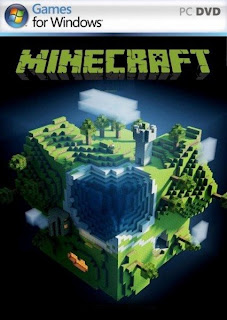
Download Minecraft 1.4.6

Minecraft is a sandbox construction game, inspired by Infiniminer, and created by Markus Persson, the founder of Mojang Specific...